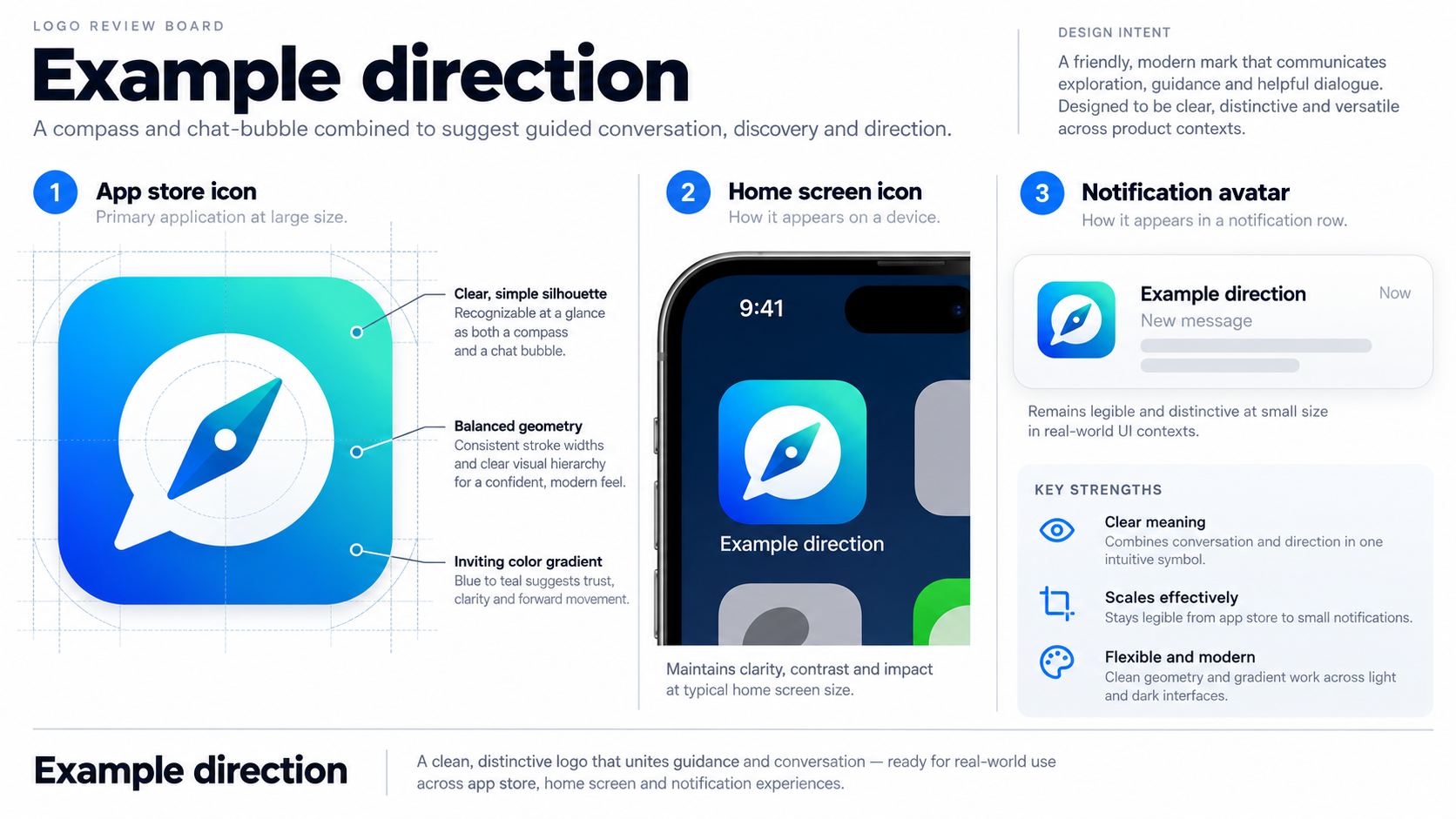
Demonstration Case — Sample Logo Review. This fictional mobile app mark is not a client project. All visuals are labelled Example direction. No scores, download figures, customer data, or delivered redesign outcomes are claimed.
Step 1
Before: The Sample App Logo as Submitted
The sample app logo is a rounded square containing a detailed compass-and-chat-bubble symbol. It uses a blue-to-teal gradient, a thin white outline, and the app name beneath the icon. At presentation size, the mark feels friendly and technology-focused.
The difficulty starts when the same asset enters an app-store grid, a phone home screen, a notification, or a widget. The identity has a useful concept, but too many details depend on generous space and close viewing.
Step 2
Context: An App Logo Is Read at Small Sizes
A mobile logo appears in store search results, home-screen rows, push notifications, settings lists, and social previews. One strong silhouette should survive reduction; the operating system supplies the app name separately.
Platform fit. Apple’s Human Interface Guidelines for app icons and Google’s Material design guidance explain why shape, legibility, and consistent treatment matter across device surfaces.
Product-brand fit. A compass and speech bubble can suggest discovery and communication, but the treatment must be specific enough to avoid becoming a generic technology badge. These are practical questions behind the Logo Evaluation Criteria.
Step 3
Review Snapshot: How the Sample Mark Reads
The sample is considered against the ten dimensions used in a Logo Review report: Visual Clarity, Contrast & Accessibility, Color Harmony, Scalability, Shape & Balance, Typography, Uniqueness, Versatility, Application, and Commercial Value. This is qualitative demonstration only; no numeric score is assigned.
| Dimension | Reviewer’s read |
|---|---|
| Visual Clarity | The category idea is understandable, but the symbol is busy below thumbnail size |
| Scalability | Compass points and speech details merge when reduced |
| Contrast & Accessibility | Mid-tone gradient needs a tested solid-background alternative |
| Application | Full lockup does not suit home-screen and notification contexts |
| Versatility | Icon, wordmark, and monochrome assets are not clearly separated |
Step 4
Top 3 Problems
1. Too many ideas compete inside one small icon. The compass, speech bubble, outline, gradient, and tiny wordmark all ask for attention. A first read should happen before a second idea can be understood.
2. The gradient does more work than the shape. Color transitions become less useful on small screens, dark interfaces, and compressed store previews. Recognition should not depend on a fragile effect.
3. The logo system is not designed for the full app journey. Store listing, home-screen icon, notification avatar, website header, and social preview need different crops and lockups.
Step 5
Recommended Changes
- Reduce the mark to one decisive silhouette; turn the secondary idea into negative space and remove fine lines.
- Test dark-on-light, light-on-dark, and one-color versions before polishing the gradient.
- Create icon-only, wordmark, and compact avatar assets with shared clear-space and background rules.
Step 6
After: The Recommended Direction (Example direction)
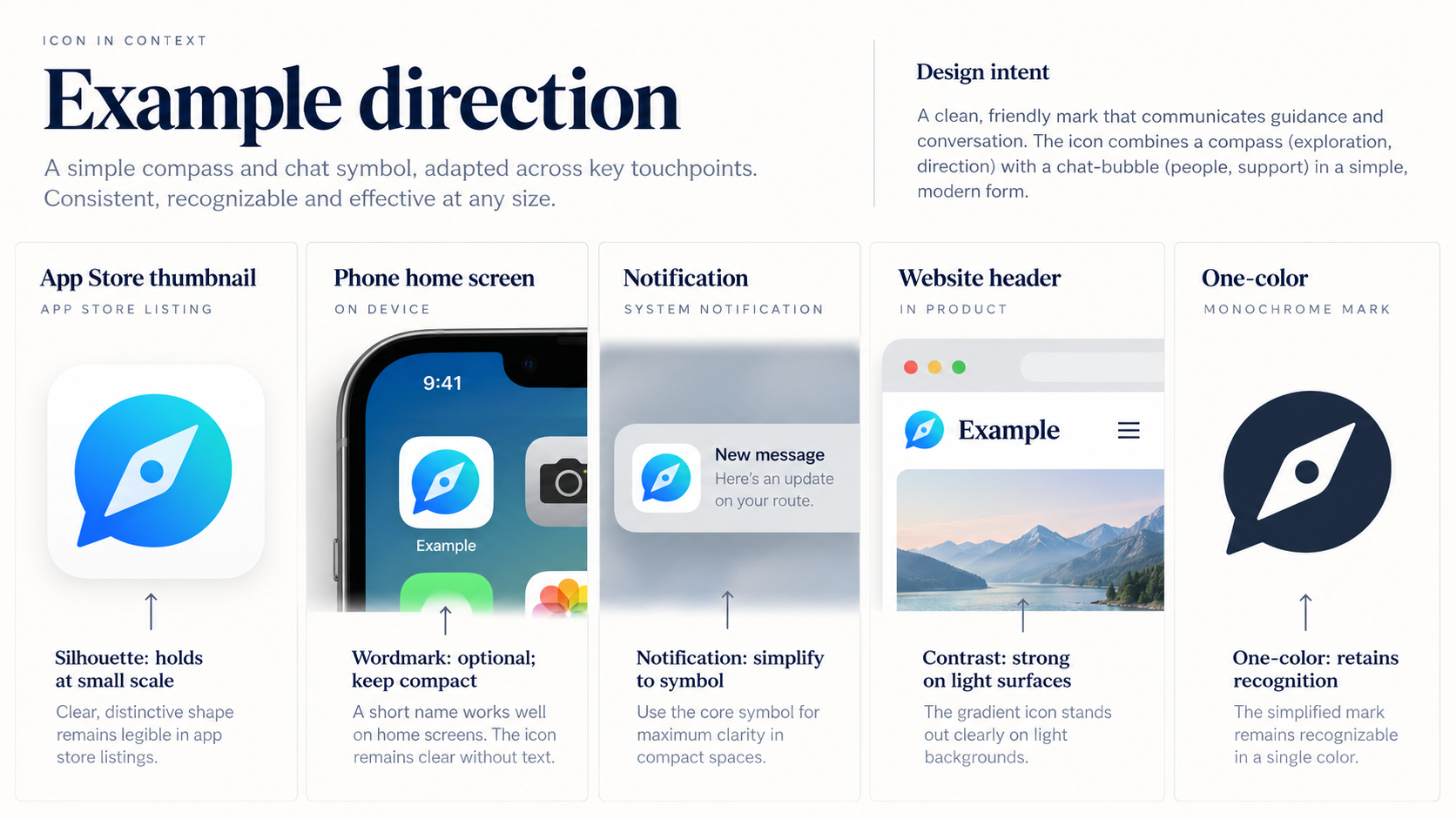
Example direction — not a delivered result. The compass-chat combination becomes a simpler, bolder symbol with fewer internal divisions. The store icon uses the solid silhouette; the website uses the wordmark beside it; notifications use the compact symbol without a tiny descriptor.
A solid-color and reversed version are prepared as directions for testing. These are illustrative recommendations, not a client redesign or measured outcome.
Step 7
What Changed
The proposed shift is from a detailed badge to a small identity system built around recognition. The icon carries one memorable shape at a glance, while the wordmark moves to surfaces with enough room to read it. The compact asset gives notifications and avatars a deliberate option instead of a forced crop.
Step 8
Related Guide and Evaluation Criteria
Start with the Logo Evaluation Criteria, read How to Know If Your Logo Is Good, and browse the Examples library. The Logo Review tool organizes feedback across the same ten dimensions.
Step 9
FAQ: App Logo Review
What should an app logo review check first?
Start with recognition at small size, then check contrast, shape balance, distinctiveness, and how the icon works across store, device, notification, and web contexts.
Should an app icon include the app name?
Usually, the icon should work without a tiny wordmark because operating systems and app stores provide the name separately. Keep the wordmark for websites, launch materials, and wider placements.
Does this example include an actual redesign or score?
No. This is a fictional demonstration with qualitative observations and recommended directions only. It does not claim an AI score, customer result, download lift, or delivered revision.
Step 10
Review Your Own App Logo
Upload your mark to the Logo Review tool and check it at app-store thumbnail size, on a phone home screen, in one color, and against light and dark interface backgrounds.
Try Logo Review