Logo Review Guide
Why Your Logo Looks Outdated: A Logo Review Guide for Teams
Wondering why your logo looks outdated? Learn how to separate dated typography, colour, complexity, and context from real brand change before you redesign.
A practical diagnosis for founders, brand leads, and designers
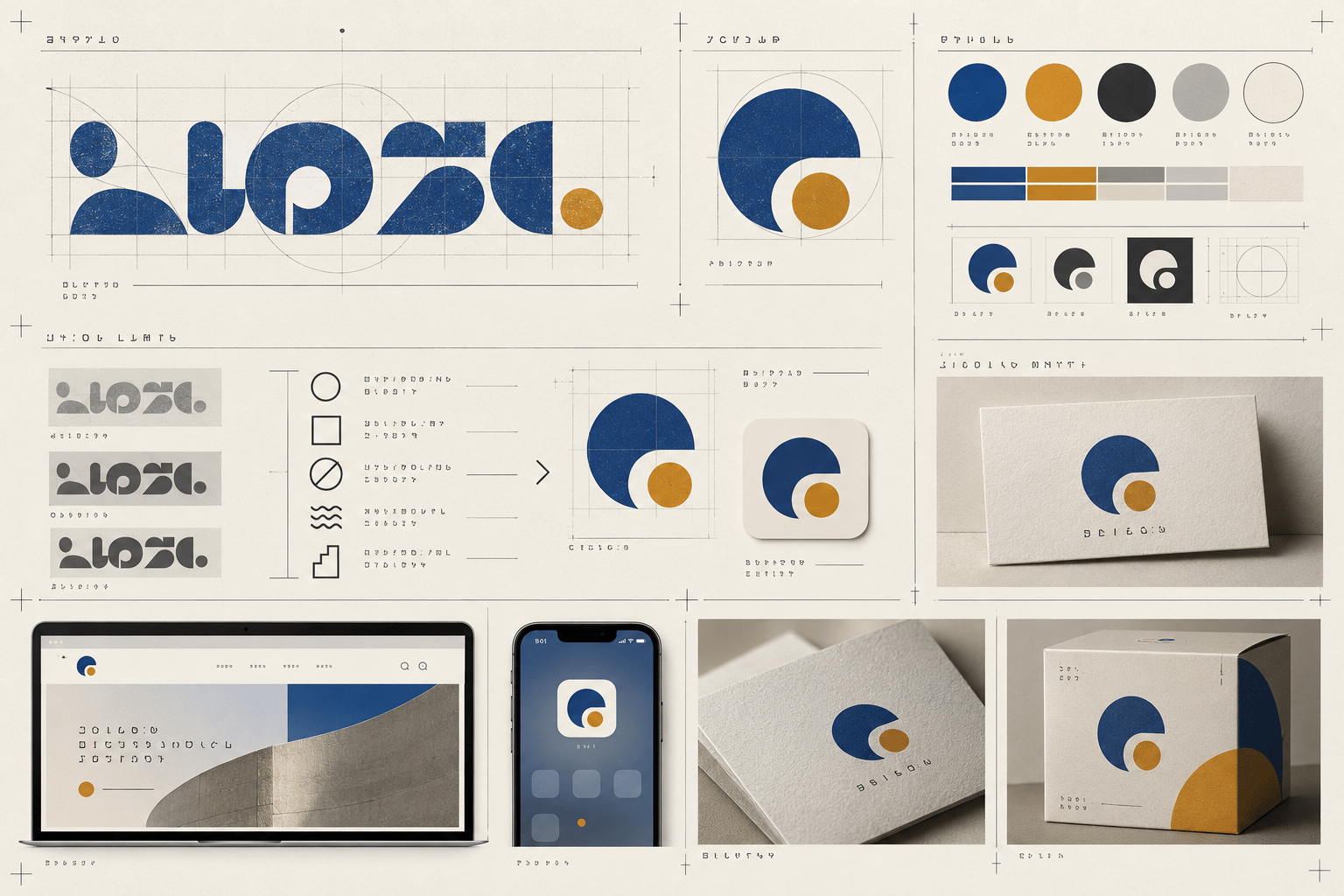
If you are asking why your logo looks outdated, the answer is rarely one colour or one font. A logo can feel behind the market because its typography, colour conventions, detail level, or presentation no longer fits the places people see it. It can also feel dated simply because the business has changed while the identity has stayed still.
That distinction matters. A fashionable redesign may look newer for a few months without making the mark clearer, more distinctive, or more useful. A better review starts with evidence: what looks old, where it fails, what the brand now needs to communicate, and which smallest change would address the problem. This guide is for founders and brand leads reviewing an existing logo—not for chasing a trend or browsing unrelated inspiration.
What makes a logo feel outdated?
“Outdated” is a time-based reaction, not a complete diagnosis. People often use it when a mark contains visual conventions associated with an earlier design moment, or when it behaves poorly in current applications. A logo can be old in age but still appropriate. A recently made logo can feel dated if it borrows a visual language that is already overused or mismatched to the brand.
Start by naming the signal rather than accepting the verdict. Is the typography difficult to read at small sizes? Does the palette resemble a category convention from a previous era? Is the logo overloaded with bevels, shadows, gradients, or fine detail? Does it work only on a desktop mock-up while the brand now appears mostly in mobile interfaces and social profiles? Or has the company’s offer, audience, or positioning changed? The goal is not to make every logo minimal or current-looking. It is to make the identity deliberate, legible, recognisable, and suitable for the brand’s actual work.
Five signals that may be making your logo look dated
1. The typography carries an old visual convention
Typography is often the first place people notice age. Decorative scripts, condensed display lettering, bevelled text, default all-caps treatment, or tightly packed words can send an unintended historical signal. That does not mean a familiar or retro typeface is automatically wrong. Ask whether the type supports the brand’s present character and remains readable in its real uses. Review letterforms, weight, spacing, kerning, and the relationship between wordmark and symbol.
A focused fix might involve adjusting spacing, simplifying the treatment, changing the weight, customising a letterform, or selecting a better-supported type option. Do not replace the entire identity until you know which typographic problem you are solving.
2. Colour conventions now signal the wrong category
Colour trends change, but colour itself does not have a universal expiry date. The issue is usually a mismatch between the palette and the brand’s intended position, or a combination that has become interchangeable within its category. Look at the logo beside current competitors and adjacent alternatives, using the same size and background. Record repeated colour families, gradients, metallic effects, and contrast patterns.
A refresh may need a controlled palette adjustment rather than a dramatic colour swap. Preserve a recognisable association when it is useful, then remove effects or combinations that make the mark blend into the category. Check light, dark, and one-colour versions before calling the colour problem solved.
3. Visual complexity belongs to an earlier application context
Many logos were designed to be seen large: on a sign, brochure cover, trade-show wall, or desktop presentation. Current identities also need to work in browser tabs, app headers, social avatars, invoices, favicons, and small product interfaces. Fine lines, nested shapes, long taglines, intricate illustrations, and several competing effects can collapse at compact sizes.
This is not automatically a request for a flat redesign. It may be evidence that the identity needs a responsive system: a primary lockup, a compact lockup, an icon or monogram where appropriate, and a one-colour version. Test the mark at the smallest important size and simplify only what disappears, collides, or weakens the first read.
4. The logo is being judged in the wrong setting
A logo can appear dated because its presentation is dated. An old mock-up, low-resolution export, crowded background, inconsistent padding, or outdated website header can make a sound mark seem less relevant than it is. Review vector masters, transparent exports, colour variants, clear space, alignment, and the quality of assets used by the website and social channels.
Then place the logo in current applications: mobile and desktop headers, documents, packaging, signage, and any interface where it is part of a repeated experience. If it works when the file and context are corrected, an asset or implementation update may be enough. Do not commission a new symbol to solve a blurry export.
5. The business has changed, not just the trend cycle
Sometimes the logo feels outdated because it describes a business that no longer exists. The company may have moved from a local service to a digital product, expanded its audience, changed its offer, or adopted a more mature position. Cosmetic changes can leave that underlying mismatch untouched.
Write down what the brand needs to communicate now, who it serves, and where it needs to be recognised. Compare those requirements with the current mark. If the concept, name, or category signal is still useful, retain and refine it. If the identity repeatedly explains the old offer, a broader identity project may be justified.
A practical review and fix sequence
- Define the current job. List the audience, offer, intended character, priority applications, and viewing conditions.
- Collect the real files. Include vector masters, exports, colour variants, lockups, and usage guidance. Note what is missing.
- Review without the story. Show the mark briefly and record what a reasonable viewer notices, understands, and cannot read.
- Remove the styling layer. Test full colour, grayscale, one colour, reversed use, and the smallest important size.
- Inspect typography and structure. Check letter spacing, weight, alignment, symbol-to-wordmark proportion, hierarchy, and clear space.
- Compare the category. Place relevant alternatives beside it. Identify repeated conventions and any point that makes the mark recognisable.
- Separate context from identity. Test current applications and clean exports before changing the core concept.
- Choose the smallest useful intervention. Classify the need as asset repair, spacing adjustment, responsive variant, palette refinement, identity refresh, or strategic repositioning.
- Retest the same evidence. Put the revision in the same contexts and record whether the original problem is easier to describe and observe.
The Logo Evaluation Criteria page offers a broader framework for discussing clarity, distinction, scalability, and application fit. Use specific observations instead of treating “outdated” as a final score.
Refresh the logo without following every trend
A useful refresh preserves the parts that still work and updates the parts that create friction. Keep a recognisable shape if it helps people identify the brand. Keep a category signal if it accurately sets expectations. Then correct the typographic, colour, structural, or application issue that the review exposed.
For a fictional application-context example, see the Restaurant Logo Review example. To examine core logo qualities, read What Makes a Good Logo?. If your concern is that the mark blends into its category, see Why Your Logo Looks Generic. For a production-focused checklist, use Logo Design Checklist.
When you have gathered the files and examples, try the Logo Review Tool as a structured second opinion. Treat any review output as prompts for discussion, and apply your brand context, audience, category, and production constraints before making a decision. It should support a design review—not replace one.
A logo does not become stronger simply because it looks newer. It becomes stronger when its choices fit the brand today, survive the places it must appear, and remain recognisable without borrowed effects. Identify the visible source of the dated impression, fix the highest-impact issue first, and retest before committing to a full redesign.
Factual basis
This guide is based on observable design-review practices: comparing category alternatives at the same size, testing typography and colour in real contexts, checking responsive and one-colour use, and separating asset quality from identity strategy. These are review prompts, not guarantees of business performance. For supporting interface text, controls, and surrounding content, consult the W3C Web Content Accessibility Guidelines as the authoritative reference.