Logo Review Guide
What Belongs in a Logo Handoff Package? A Practical Minimum
Learn what to include in a practical logo handoff package, what to leave out, and how to give the next person enough context to use the approved mark confidently.
A logo handoff package should answer one practical question: Can the next person use the approved logo correctly without asking the creator to explain every file?
This guide defines that practical minimum. It focuses on what the recipient needs to choose, use, and escalate—not on repeating a complete file-format guide or building an elaborate folder system. For folder and filename conventions, see How to Organize Logo Files for a Clear Handoff.
Start with the practical minimum
The minimum logo handoff package
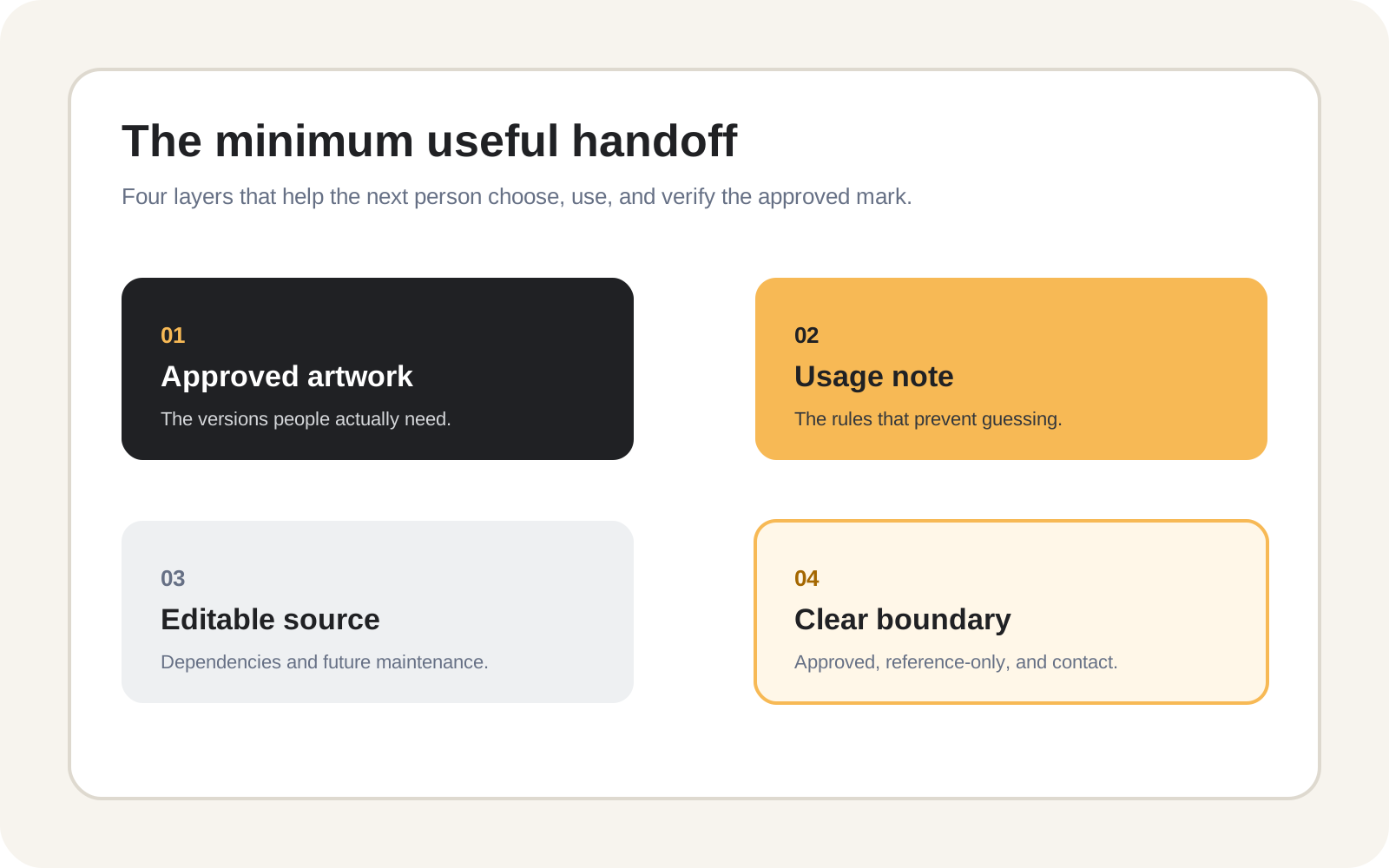
A useful package usually contains four layers:
- Approved logo artwork for the real applications already known.
- A short usage note that explains the important choices and limits.
- Editable source material, when future editing or production requires it.
- A clear handoff boundary identifying what is approved, reference-only, and who can answer open questions.
Everything else should earn its place by solving a real recipient need. If a file does not help someone choose, place, reproduce, edit, or verify the logo, it may belong in an archive rather than the minimum delivery package.
1. Include approved artwork people will actually use
Start with the approved logo system, not every version explored during the project. A practical package often includes:
- The primary logo or lockup.
- A compact symbol, icon, or wordmark if that version is approved and has a real use.
- Light-background and dark-background or reversed treatments when both are needed.
- A one-colour treatment for restricted printing, engraving, stamps, or other limited applications.
- Application-specific exports only when the receiving platform or production workflow needs them.
These are decision categories, not a demand to manufacture every possible variation. Do not add a stacked arrangement, icon-only mark, or alternate colour treatment merely because a handoff feels incomplete. If it was not approved, it is not part of the official package.
Give the recipient an obvious starting point. A file named brand-primary-horizontal-full-colour.svg is more useful than logo-final-3.svg, but a short package index should still state which asset is the default for the most common use.
2. Add enough usage context to prevent guessing
Artwork alone cannot explain every decision. Include a concise usage note—plain text, PDF, or clearly labelled package page—that covers the rules most likely to affect the handoff:
- Which logo version is approved as the default.
- When to use light, dark, reversed, or one-colour artwork.
- Confirmed clear-space or minimum-size rules.
- Whether the logo may be placed on photography, colour, or patterned backgrounds.
- Variants reserved for specific contexts, plus known limitations or missing applications.
- The owner or contact for questions, and the date the package was reviewed.
This note should be short and operational. It is not a substitute for full brand guidelines. If a complete guideline document exists, link to it or include it as a reference, but do not make the recipient search a long document to discover which file to use on a dark background.
Avoid turning uncertain assumptions into rules. If minimum size has not been formally established, say it needs confirmation rather than inventing a threshold. Honest boundaries are more useful than false precision.
3. Separate ready-to-use assets from editable sources
An editable master and a production export serve different people. A web developer may need an SVG or PNG that can be uploaded immediately; a designer may need the original working file for a future approved revision; a printer may request a particular production file. Put these categories in clearly labelled locations or package sections.
The source section should identify dependencies such as fonts, linked images, plugins, or missing assets. If the source cannot be edited without a licensed font or particular application, say so. Do not assume that an editable-looking file is self-contained.
The minimum package does not always need every historical source file. Include the current editable master when future editing is part of the agreed handoff, and supporting assets only when needed to open, edit, or reproduce it. Old explorations, rejected concepts, and superseded versions should stay out of the production path unless they serve a documented reason.
4. Match delivery depth to the recipient’s decision
The right package is determined by what the recipient must do next. For a website, app, or social profile, provide the approved web-ready or compact logo, needed light/dark treatments, transparent artwork where appropriate, and a brief placement note. Do not imply that a general logo file is automatically suitable for every avatar or platform.
For print or production, include the approved treatment and the file the vendor can actually use, with confirmed colour or reproduction notes. For an internal brand team, add the editable master, dependencies, usage notes, and ownership boundary. Ask vendors about requirements rather than adding speculative formats, and keep drafts out of every version of the package.
Keep the production path small, then run a recipient test
Do not place unapproved concepts beside approved artwork, use vague names such as final or latest, or include every export ever generated. Keep historical material when it supports approvals, legal records, or rollback, but separate it from assets the recipient should use today.
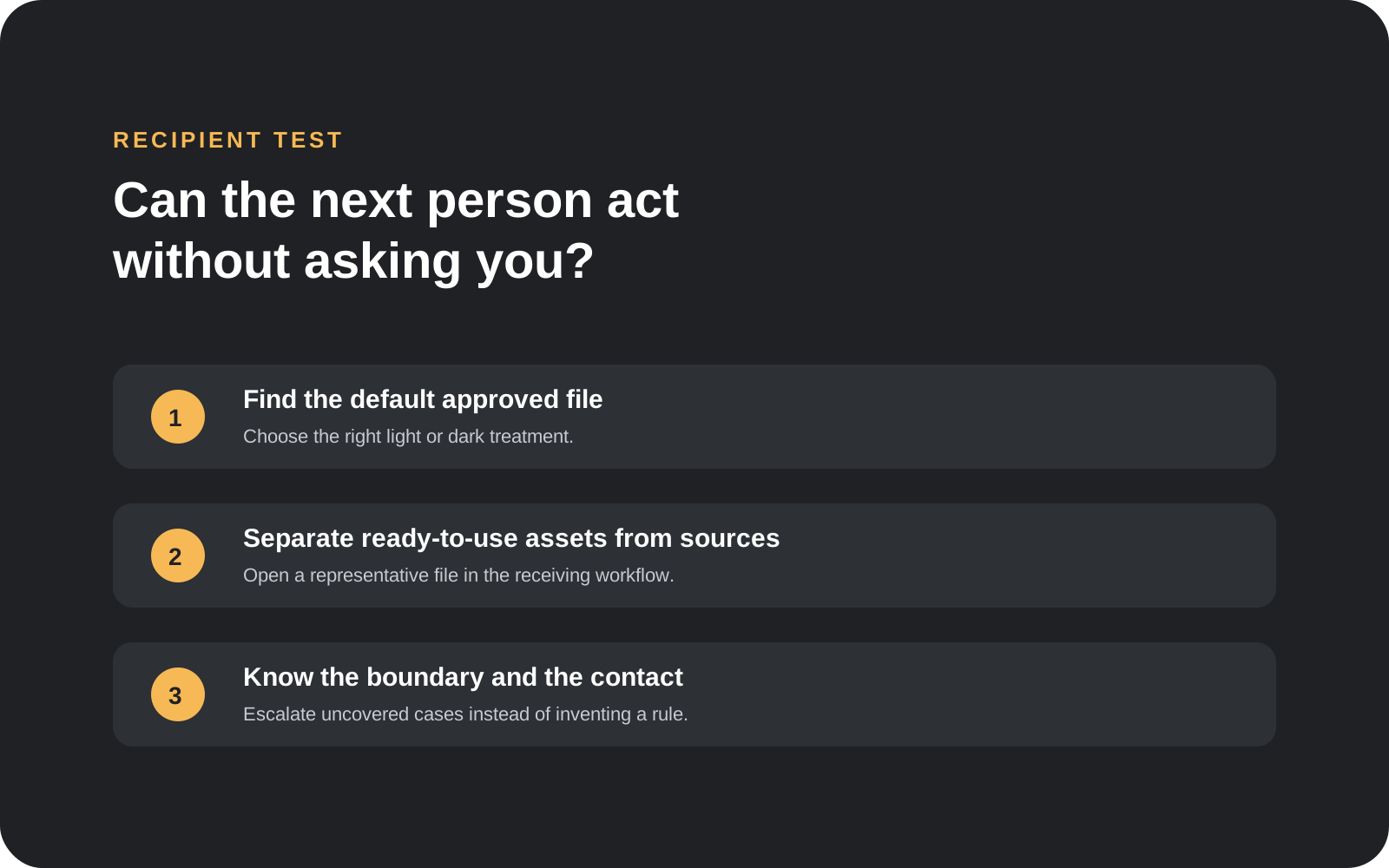
Before sending, test the package as someone who did not create the logo:
- Can you identify the default approved file and choose a light or dark treatment?
- Can you distinguish ready-to-use artwork from editable sources?
- Can you find the rule or contact for an uncovered case and open a representative asset in the receiving workflow?
If any answer is no, improve the explanation or remove misleading choices. Do not solve every uncertainty by adding another export. For a broader review of clarity, scalability, contrast, and everyday use, see Logo Evaluation Criteria Explained or compare the decision process with the AI Startup Logo Review example. For a structured first pass, try the Logo Review Tool.
Logo handoff package FAQ
What is the minimum logo handoff package?
At minimum, provide the approved logo artwork needed for the known use, a short usage note, and a clear indication of what is approved. Add editable source files and dependencies when future editing or production requires them. Do not include every possible variation by default.
Do I need to include the original logo source file?
Include the current editable source when the recipient is expected to maintain, adapt, or reproduce the identity. If the recipient only needs a ready-to-use web or print asset, the source may be unnecessary, but the package should identify who controls it and how future changes are requested.
How many logo variations should I deliver?
Deliver the smallest approved set that covers the recipient’s real applications. This may include a primary lockup, a compact version, and light, dark, or one-colour treatments when those contexts exist. Do not create or label a variation as approved just to make the package look complete.
Should I include brand guidelines with the logo files?
Include or link to full brand guidelines when they exist and the recipient needs them. Also provide a short operational note that surfaces the immediate choices, such as the default logo, background treatment, and known limitations. A long guide should not be the only orientation layer.
What should I do with old logo files?
Keep old files only when they serve a documented historical, approval, legal, or rollback purpose. Place them in a clearly marked archive that is separate from approved production assets. Never leave superseded files beside current files under vague names.
A practical logo handoff package is not the largest package you can export. It is the smallest honest package that lets the next person use the approved identity, understand the important boundaries, and know what to do when the package does not answer a question.