Logo Review Guide
Why Your Logo Is Hard to Read (and How to Improve It)
Is your logo hard to read? Learn how to diagnose typography, contrast, spacing, and scaling problems in an existing logo before choosing a focused fix.
A practical diagnosis for founders, brand leads, marketers, and designers reviewing an existing logo
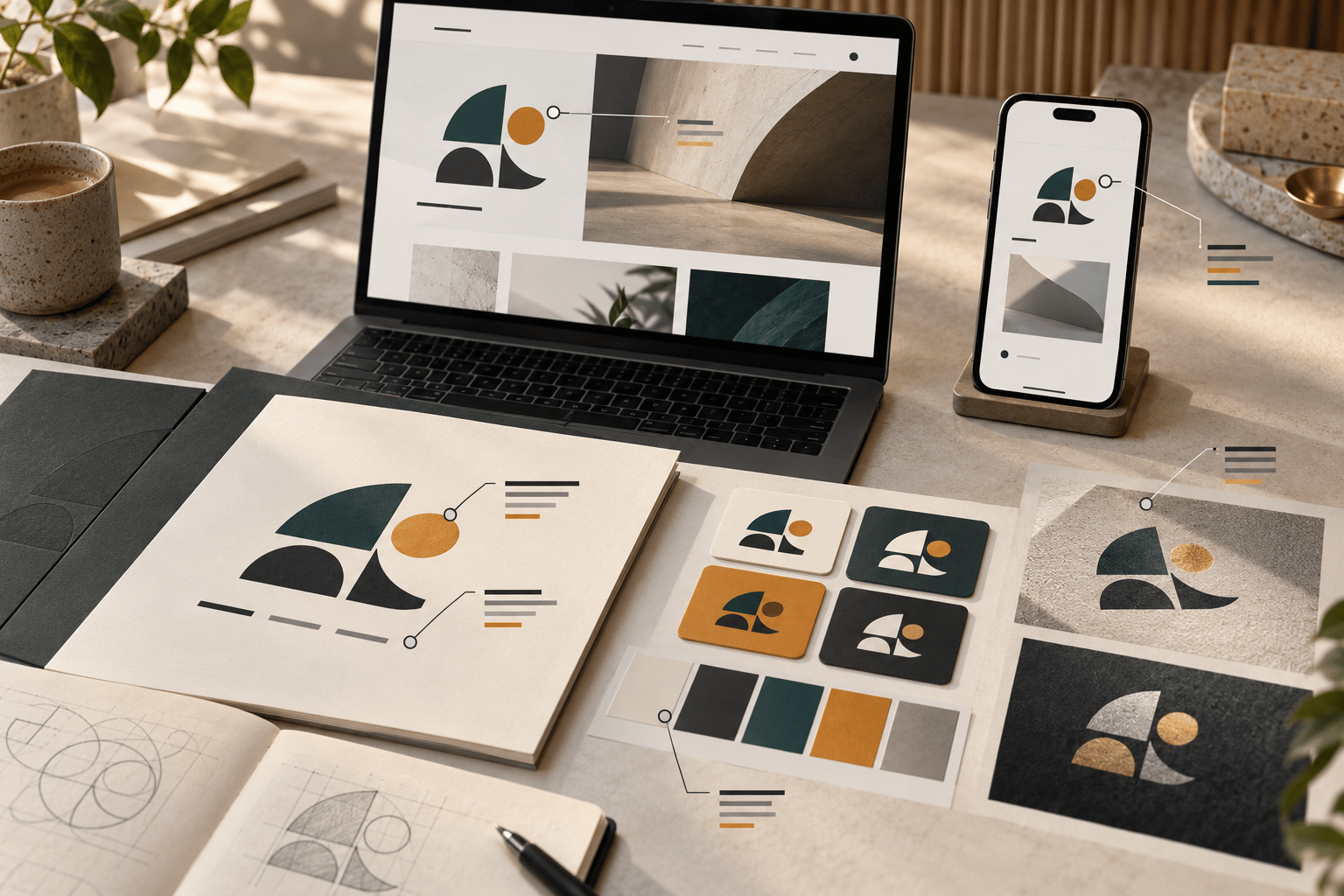
If your logo is hard to read, the problem may not be the idea behind it. A wordmark can become unclear because its letters are too close, its contrast is weak, its details collapse at small sizes, or the logo is being used in a context it was never prepared for.
Readability is a practical question: can people identify the mark, distinguish its parts, and understand the name where the brand actually appears? This guide is for reviewing an existing logo before deciding whether to adjust the artwork, create a responsive version, improve the files, or begin a broader identity project. It is not an inspiration gallery or a verdict on one sample logo.
What makes a logo difficult to read?
Separate two related ideas. Legibility is whether the letters and forms can be distinguished. Clarity is whether the viewer knows what to look at first and can recognise the mark as one coherent identity. A logo may have readable letters but still feel confusing because the icon, wordmark, tagline, and effects compete for attention.
The context matters just as much as the artwork. A large presentation slide gives people room and time. A mobile header, browser icon, social avatar, invoice, product navigation bar, or storefront may offer far less. Review the logo in the conditions where it will be encountered, not only on the designer’s artboard.
Five common causes of poor logo readability
1. The typography is too delicate or crowded
Thin strokes, narrow counters, decorative letterforms, and tight tracking can work at display size while disappearing in a compact application. Some words also contain difficult letter combinations where default kerning creates dark collisions or awkward gaps.
Inspect the wordmark one letter pair at a time. Look at weight, case, counter shapes, baseline, and spacing between the symbol and the name. Ask whether the wordmark still reads when reduced to the smallest important size. If it does not, possible fixes include adjusting kerning, increasing weight, opening selected counters, or preparing a wordmark-only version. Changing the typeface is not automatically the best first move.
2. The contrast is too weak for the background
A logo can be technically present but practically difficult to see when its colours are too similar to the background. This often happens with light marks on bright images, low-contrast neighbouring colours, or a palette that works in a presentation but not in a real interface.
Test the mark on white, near-black, brand-colour panels, and the image backgrounds used by the business. Check full colour, grayscale, one-colour, and reversed versions. Do not add a shadow or outline before checking whether the underlying colour relationship is the real issue. Prepare approved light and dark treatments so teams do not improvise them from one use to the next.
For surrounding interface text, controls, and content, consult the W3C Web Content Accessibility Guidelines as the authoritative accessibility reference. Logo treatment has specific considerations, but the text and interface around a logo still need to be usable.
3. Details disappear when the logo is reduced
Fine lines, enclosed shapes, small taglines, and close colour transitions may be visible in a large file but merge or vanish in a favicon, app icon, social profile, or mobile navigation bar. A blurry export can make the same problem worse.
Reduce the logo to the actual dimensions used in your priority contexts. Inspect the silhouette, counters, gaps, and relationship between icon and wordmark. If the primary lockup fails only at compact sizes while the large version remains useful, create a responsive system: a full lockup for spacious applications, a compact lockup for narrow spaces, and an icon-only version where the identity can support it. Do not force every version into one tiny arrangement.
4. The hierarchy is unclear
A tagline, border, decorative effect, symbol, and wordmark can all be individually visible yet collectively difficult to read. When every element has the same visual emphasis, the eye has no clear first read.
Show the logo briefly without explaining its concept. Record what a neutral viewer notices first and what disappears. Then review the visual hierarchy: which element identifies the brand, which element supports it, and which elements can be removed or separated in smaller uses? A tagline may belong below the main lockup rather than inside every logo file. A presentation effect may belong to a campaign treatment rather than the core mark.
5. The files are not ready for real use
Sometimes the design is readable, but the available asset is not. A compressed screenshot, accidental background, inconsistent padding, jagged edge, or incorrect colour version can make a sound logo look unclear.
Locate the editable vector master and inspect the delivery set. You may need transparent raster exports at relevant sizes, light and dark versions, a one-colour version, and clearly named files. Check the logo in the actual website header, email signature, document, product interface, or print layout. A clean source file is useful only if the people using it can find and apply the right version.
A practical readability test
Use a repeatable sequence before changing the logo:
- Define the job. List the audience, three priority applications, viewing conditions, and the smallest meaningful use.
- Gather the real files. Include the vector master, wordmark, icon, colour variants, exports, and usage guidance. Record what is missing.
- Run a first-read test. Show the mark briefly without its explanation. Note what people see first and which part they cannot read.
- Test type and spacing. Inspect letter pairs, stroke weight, counters, alignment, clear space, and the icon-to-wordmark relationship.
- Remove the styling layer. Compare full colour with grayscale, one-colour, and reversed versions. Identify what survives without effects.
- Check actual sizes. Test a mobile header, social avatar, browser icon, document, and one larger application that matters to the brand.
- Check the background. Use the real light, dark, coloured, and image contexts rather than a blank artboard.
- Classify the failure. Mark it as typography, contrast, scale, hierarchy, file quality, system, or strategy.
- Choose one focused change. Adjust the highest-impact problem first, then repeat the same tests.
Write observations that another person can verify, such as “the counter closes at the compact size” or “the wordmark blends into the image background.” Avoid stopping at “it feels hard to read.” A specific observation gives the next decision an owner and a test.
Improve readability without flattening the identity
Start with the smallest intervention that addresses the observed failure. Correct spacing before replacing the typeface. Prepare a dark-background version before adding a permanent outline. Remove a disappearing tagline from a compact lockup before simplifying the entire symbol. Improve the export before judging the underlying artwork.
Preserve the features that help people recognise the mark: a useful silhouette, a distinctive proportion, a characteristic letterform, or a clear relationship between icon and name. Readability does not require every logo to be minimal, geometric, or monochrome. It requires the chosen detail to survive the context in which it has a job.
If the same problem appears across applications and the logo no longer fits the audience, offer, or category, a broader identity conversation may be appropriate. That is a different conclusion from discovering one missing file or one cramped lockup. Separating production, system, visual, and strategic problems helps prevent an unnecessary redesign.
For a broader framework, read the Logo Evaluation Criteria. For a clearly labelled demonstration of context and trade-offs, compare the Restaurant Logo Review example; it is a fictional sample, not a customer result. You can also continue with How to Critique a Logo, Logo Design Checklist, and Is My Logo Too Complicated?.
When you have collected the mark and its real applications, try the Logo Review Tool to organise a structured first pass. Treat the output as a discussion aid, then apply your audience, category, production constraints, and design judgement before deciding what to change. The next step may be an asset fix, a responsive variant, a typography refinement, or a deeper identity review.
A logo is hard to read when its forms, contrast, hierarchy, scale, or files prevent people from identifying it in the situations that matter. Find the observable cause, make one focused improvement, and retest the same mark in the same contexts before reaching for a full redesign.
Factual basis
This guide is based on observable design-review practices: checking typography and spacing, testing real sizes and backgrounds, comparing styling layers, inspecting production files, and separating application constraints from identity strategy. These are review prompts, not guarantees of recognition or business performance. Validate each recommendation against the intended audience, brand requirements, and reproduction process.
Frequently asked questions
How can I tell why my logo is hard to read?
Test the mark at its smallest important size, on light and dark backgrounds, and in one colour. Note whether the failure comes from typography, contrast, scale, hierarchy, or the quality of the supplied files.
Should I change the typeface if my wordmark is difficult to read?
Not necessarily. First test kerning, weight, counters, tracking, and the relationship between the icon and wordmark. A focused spacing or weight adjustment may solve the problem without replacing the typeface.
Does a readable logo need to be simple or monochrome?
No. Readability depends on whether the chosen detail survives the context where the logo has a job. A detailed identity can remain distinctive when it has controlled responsive, one-colour, and small-size versions.
What should I test before redesigning an existing logo?
Gather the real source files, define priority applications, run a first-read test, compare typography and contrast, check actual sizes and backgrounds, classify the observable failure, and make one focused change before retesting.
Next step
Turn a vague readability concern into a focused review.
Upload the mark and its real-world context to organise a structured first pass, then apply your audience and production requirements before deciding what to change.
Try the Logo Review Tool