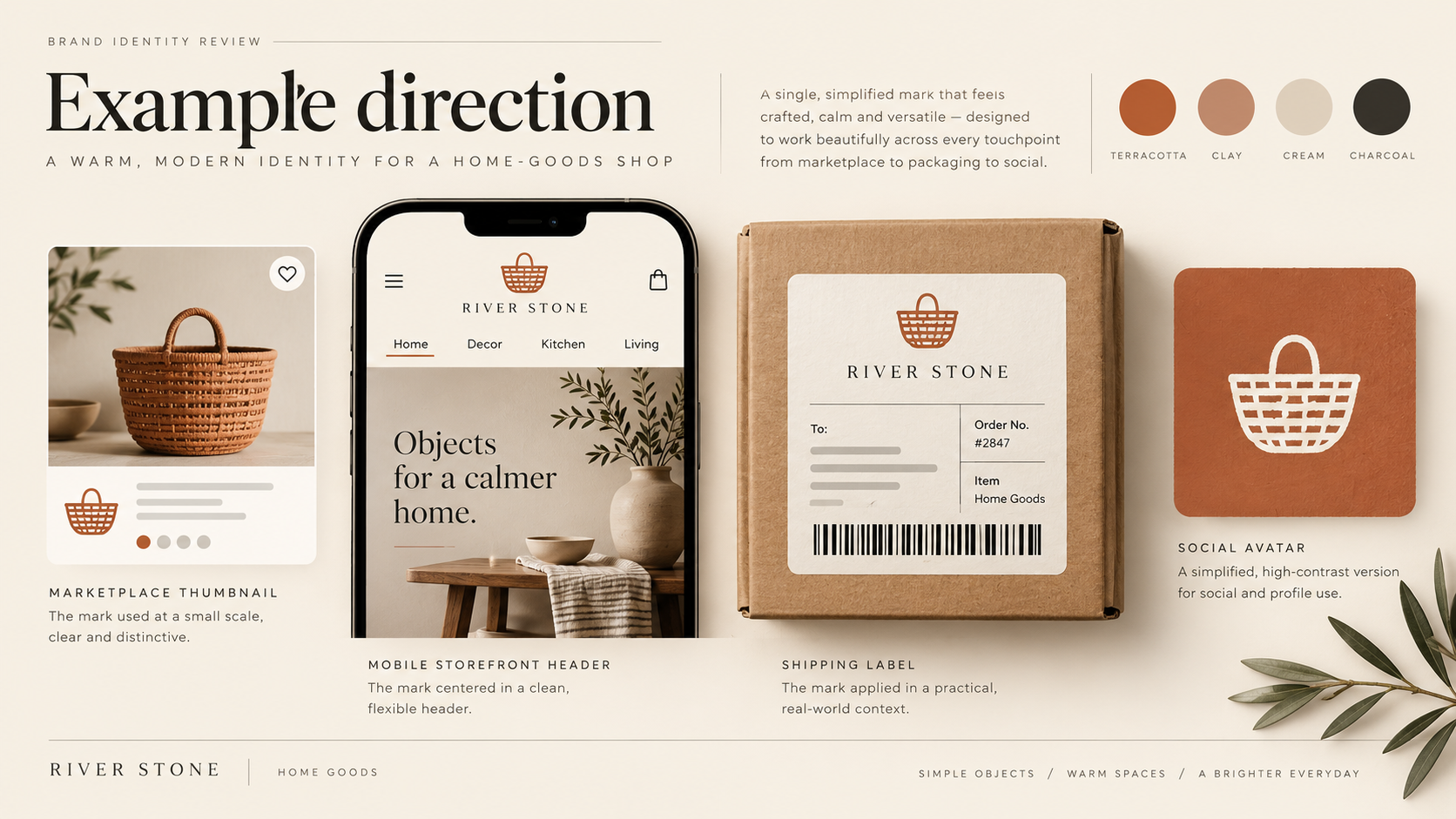
Demonstration Case — Sample Logo Review. This is a generic sample logo for a fictional online home-goods shop, not a client project. Visuals are labelled Example direction. No scores, customer data, sales results, or delivered redesign outcomes are claimed.
Step 1
Before: The Sample Logo as Submitted
The sample logo is a rounded wordmark paired with a small shopping-basket icon and the tagline “Made for everyday living.” At presentation size, the warm terracotta colour and friendly lettering feel appropriate for a home-goods store. The full lockup has personality, but an ecommerce identity is rarely encountered at presentation size.
In a marketplace thumbnail, the tagline becomes a thin blur and the basket icon loses its handle. On a product card, the logo competes with the product photograph, price, and sale badge. On a shipping label, the soft terracotta ink has to survive a small print area and inconsistent materials.
Step 2
Context: Where an Ecommerce Logo Has to Work
An online store can introduce its identity several times in one journey: a search result, product grid, checkout header, order email, package, and social profile. Each context changes the available space, contrast, and viewing distance.
Thumbnail clarity. A customer should recognise the mark beside competing products. At small sizes, one clear shape and a readable wordmark matter more than a decorative tagline.
Product-listing compatibility. The logo must leave room for product imagery and commercial information, especially on mobile.
Cross-platform consistency. The core idea should survive a favicon, marketplace profile, mobile header, packing slip, shipping label, and social avatar. These are the practical questions behind the Logo Evaluation Criteria. For interface contrast, use the W3C Web Content Accessibility Guidelines as an authoritative reference.
Step 3
Review Snapshot: How the Sample Mark Reads Against Evaluation Criteria
The sample is considered against the ten dimensions used in a Logo Review report: Visual Clarity, Contrast & Accessibility, Color Harmony, Scalability, Shape & Balance, Typography, Uniqueness, Versatility, Application, and Commercial Value. This is a qualitative demonstration only; no numeric score is assigned.
What holds up. The rounded wordmark feels approachable, the basket creates an immediate retail cue, and the terracotta colour gives the store a warmer point of view than a default black-and-white wordmark.
What slips. The tagline, fine basket detail, and narrow colour range make the full lockup dependent on generous space and a light background.
| Dimension | Reviewer's read |
|---|---|
| Visual Clarity | Wordmark reads at header size; basket detail weakens in thumbnails |
| Scalability | Tagline and thin icon strokes disappear below compact app sizes |
| Contrast & Accessibility | Terracotta on cream needs a tested dark-text alternative |
| Application | Full lockup crowds product cards, labels, and checkout headers |
| Versatility | Icon, wordmark, and tagline are not prepared as distinct assets |
Step 4
Top 3 Problems
1. The lockup is too dense for product listings. The basket, wordmark, and tagline are treated as one fixed object. On a two-column mobile grid, that stack competes with the product image and price. The store needs a compact mark and a wordmark that can be used independently.
2. Small-size recognition depends on fragile details. The basket handle and internal lines collapse in a 24-pixel marketplace avatar or browser tab. The logo should retain a recognisable silhouette and open counters at thumbnail size.
3. The colour strategy is not ready for every platform. Warm terracotta works on cream, then loses contrast on a white marketplace interface or disappears against kraft packaging. A logo system needs dark, one-colour, and reversed options.
Step 5
Recommended Changes
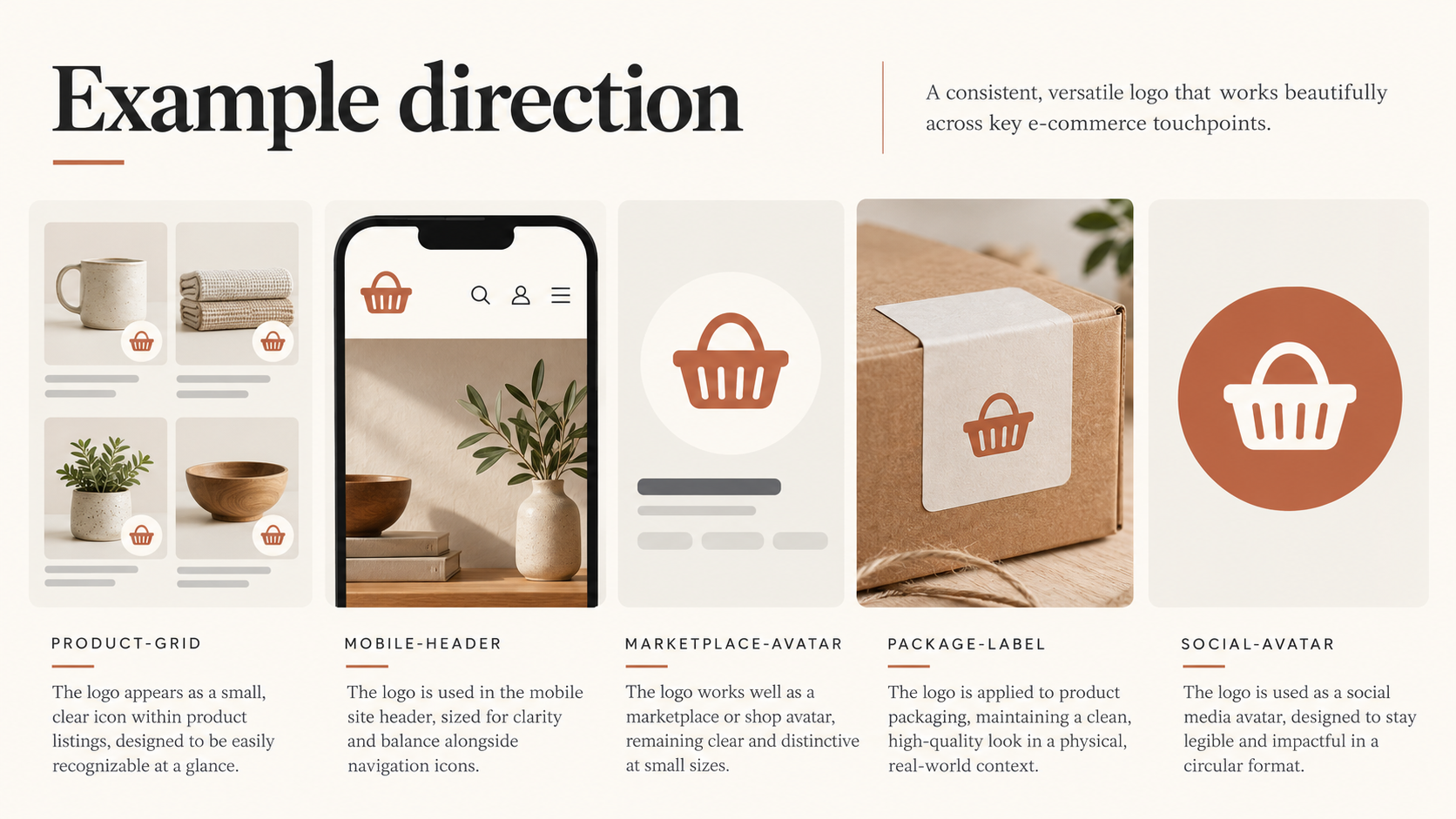
Build a compact ecommerce mark. Simplify the basket into one bold shape and remove the tagline from small applications. Use the icon alone for favicons, marketplace avatars, and social profiles; pair it with the wordmark in headers where horizontal space is available.
Prepare assets for the actual shopping path. Create a horizontal header lockup, a square profile mark, a one-colour packaging mark, and a small email or checkout version. Test each at its real rendered size beside product imagery, prices, and calls to action.
Set contrast and spacing rules. Define dark-on-light, reversed, and minimum clear-space rules. Check combinations against WCAG 2.2 where the logo appears alongside interface text.
Step 6
After: The Recommended Direction (Example direction)
Example direction — not a delivered result. The basket becomes a simplified solid symbol with a distinctive handle shape. The store header uses the wordmark and icon side by side; product-card and marketplace versions use the icon or short wordmark; packaging uses a one-colour stamp. The tagline remains available for campaign and about-page use, but no longer has to fit every application.
Survives at thumbnail size
A bold silhouette stays legible beside product imagery.
Separate lockups
Icon, wordmark, and tagline can work independently.
Built for the shopping path
Header, listing, package, and social assets have clear jobs.
Contrast-ready
Dark, one-colour, and reversed variants support real surfaces.
Step 7
What Changed
The change is from one fixed badge to a practical ecommerce identity system. The compact symbol carries recognition in a thumbnail, the horizontal lockup leaves more room for product information, and the one-colour version gives packaging and fulfilment materials a reliable option. The warm retail personality remains, but it no longer depends on a pale background, a tagline, or fine basket lines.
Scalability
Dense lockup → compact mark
Application
One asset → purpose-built variants
Versatility
Cream-only → dark, mono, and reversed
Step 8
Related Guide and Evaluation Criteria
Start with the Logo Evaluation Criteria, read How to Know If Your Logo Is Good, then browse the Examples library. The Logo Review Tool organises feedback across the same ten dimensions.
FAQ
Ecommerce Logo Review Questions
Use these practical checks when preparing a logo for storefronts, marketplaces, packaging, and social profiles.
What should an ecommerce logo communicate at thumbnail size?
It should retain a recognisable silhouette, readable wordmark or icon, and enough contrast to stand apart beside product photography, prices, and marketplace badges. Decorative taglines and fine internal details should not be required for recognition.
Does an online store need separate logo versions for product listings and packaging?
Usually, yes. A practical ecommerce identity should include a compact icon or short lockup for product grids and social avatars, a horizontal version for headers, and a one-colour or reversed version for labels, shipping materials, and darker surfaces.
How can I test whether my ecommerce logo works across shopping platforms?
Preview the mark in the actual contexts customers see: marketplace thumbnails, mobile product cards, checkout headers, order emails, package labels, favicons, and social avatars. Check recognition, contrast, spacing, and legibility at the rendered size rather than only on a large presentation board.
Does this Ecommerce Logo Review represent a real client score or redesign result?
No. This page is a Demonstration Case and Sample Logo Review for a fictional home-goods shop. It shows how to structure qualitative feedback; it does not claim a client result, numeric score, sales improvement, or delivered redesign.
Step 9
Review Your Own Ecommerce Logo
Upload your mark to the Logo Review Tool and inspect it at marketplace-thumbnail size, beside a product image, in a mobile header, and on a shipping label. Use the report as a structured starting point, then validate final assets in the platforms and materials where customers will encounter them.